Restricting Access Based on Activity Completion
Completion requirements
First, enable completion tracking in your course (this needs to be done only once):
1) In the gear menu, click "Edit settings"2) Scroll down to open "Completion tracking"3) Enable completion tracking to "Yes."
Second, enable completing tracking for each assignment:
1) Create an assignment'
2) Open the "Activity completion" options;
3) Set "Completion tracking" to "Show activity as complete when conditions are met."
4) Enable "Student must view..." and "Student must submit...."
5) Add the answer sheet. I always recommend linking it to a page, but any resource will work.
6) Open the ?Restrict access? options.
Click ?Add restriction.?
7) Click ?Activity completion.?
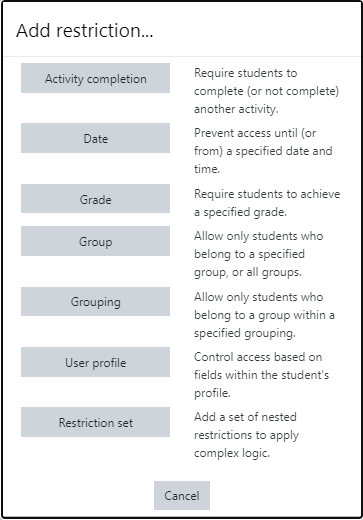
8) Choose the activity and ?must be marked as complete.?
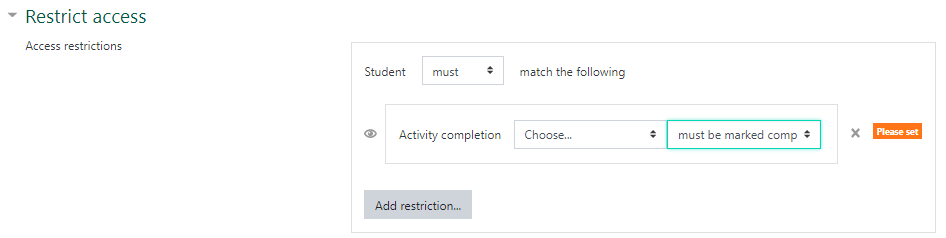
9) Save.
Last modified: Tuesday, June 23, 2020, 2:12 PM