Capturing Audio and Video in ATTO
Sorry, this activity is currently hidden
Completion requirements
Adding Video in the ATTO text editor:
The ATTO text editor does allow Moodle users to record audio and text in the text editor. This is not recommended for a number of reasons, but there are specific instances in which instructors use it.
It should be noted that this is not compatible with iOS devices or Macintosh computers using Safari. Switch to Google Chrome on those devices!
Click to show all tools
Click the audio or video button
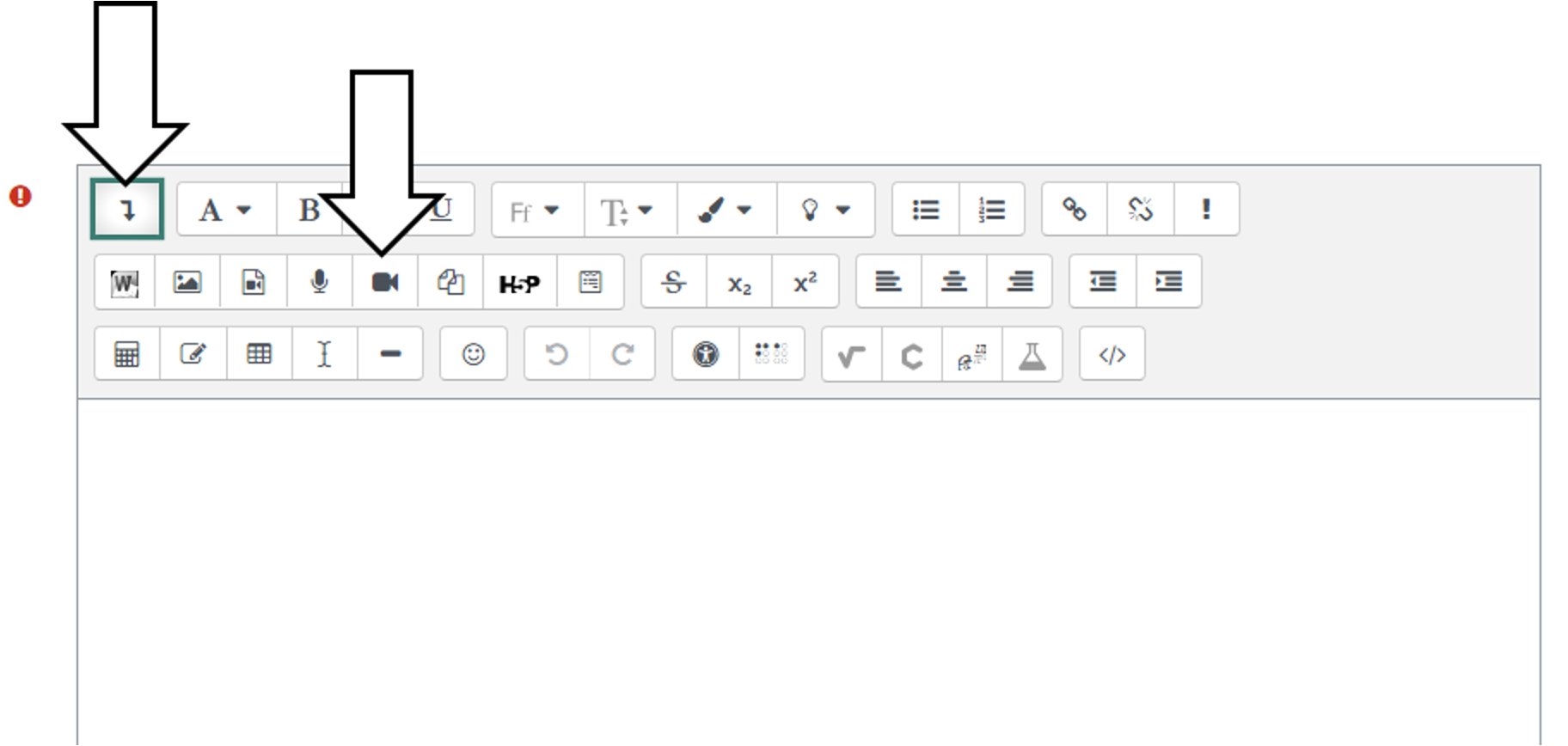
The first time you use this, clickvto “Allow” access to your camera and also for your microphone.
Click “Start recording.
Capture the audio or video.
When you finish, click “Stop recording.”
You can preview the media.
“Record again” discard the current media.
“Attach recording” when you are satisfied.
Last modified: Thursday, January 15, 2026, 12:58 PM