NEW: Creating Transcripts of Zoom Meetings
Completion requirements
Whenever a Zoom meeting is used to record a meeting or class lecture or activity, you must create a transcript of it to ensure compliance with the ADA.
- Begin the meeting, record as you usually would
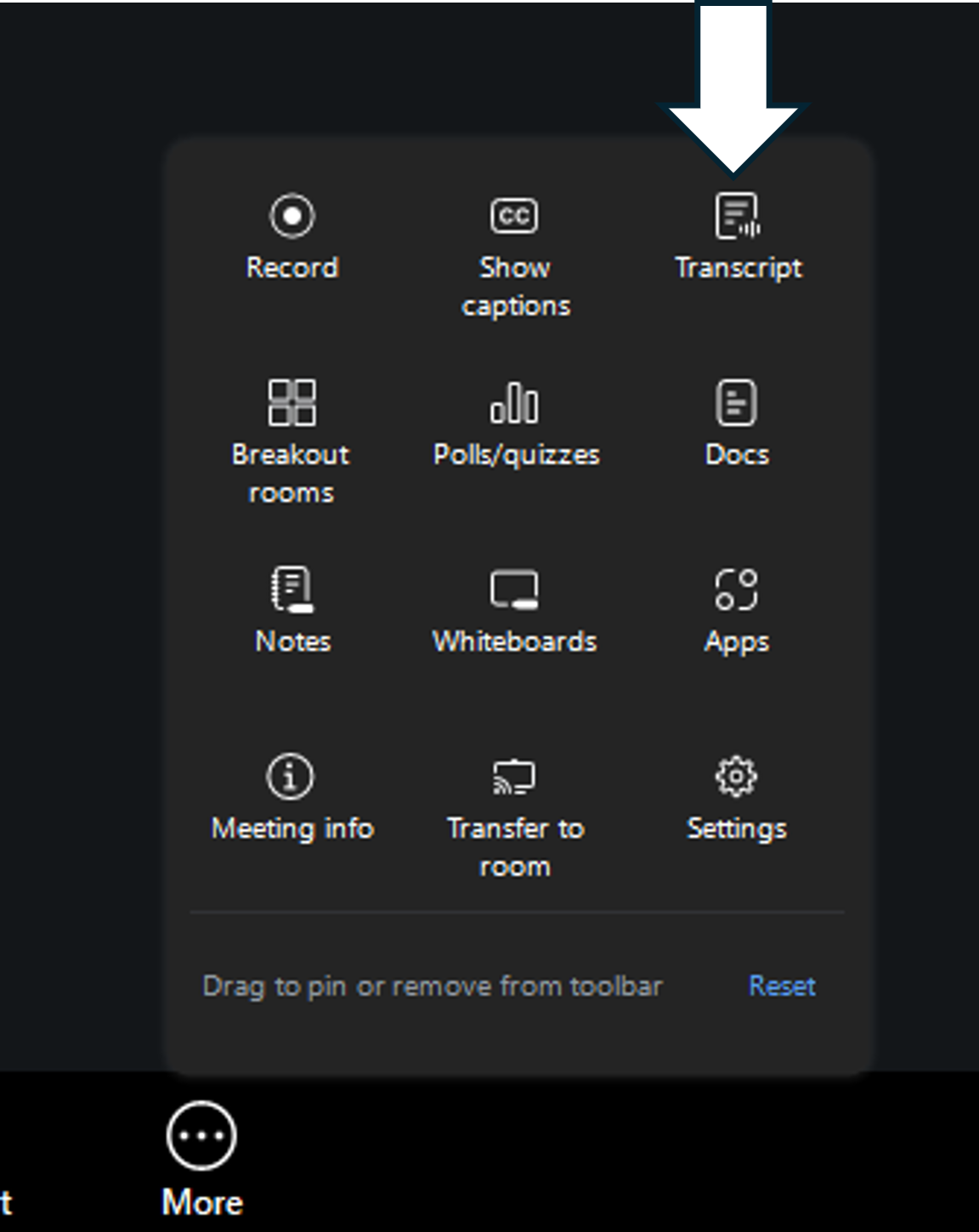
- Before you start speaking, click more, then "Transcript"
- Notice the transcript pane on the right side of the Zoom window captures the speech and the names of the participants.
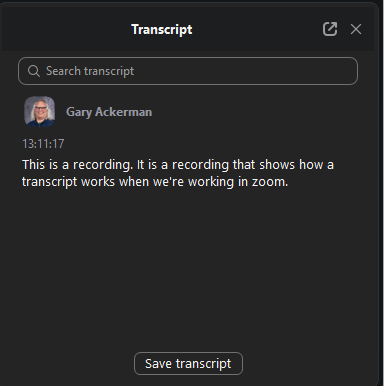
- At the completion of the meeting, click the "Save transcript" button on the bottom of the transcript pane.
- Click "Show in folder to see the file" which is save on in the folder with the date of the meeting, which is saved in the Zoom folder which is in My Documents.
- Upload the .txt file to Google Workspace.
- Share the file as appropriate.
- Copy the link and paste it in the document (e.g. Moodle page or email).
- Make sure the link has meaningful text and has sufficient color contrast.
Last modified: Monday, April 6, 2026, 1:27 PM